Configuration
Juxl has two configuration files:
For administration only
Changeable by users
Administration Configurations
The administration configurations can only be changed by adding corresponding information to the overrides.json file. There is no interface in JupyterLab itself to change these settings.
Currently, the administrative options include:
disabledPackages A list of Juxl Extension Packages that should be disabled. Default: []
allowedAgents Allowed agent types that a user can choose from. Options: anonymous, pseudonymous, jupyterhub Default: `[“anonymous”, “pseudonymous”, “jupyterhub”]
Example: Adding options to overrides.json
{
  "@juxl/juxl-extension:admin_juxl": {
    "disabledPackages": ["@juxl/juxl-extension:settingsUI"],
    "allowedAgents": ["anonymous", "pseudonymous"]
  }
}
Changeable by Users
Juxl can be configurated using the Juxl Settings UI
avaiable under the header Settings -> Juxl Settings
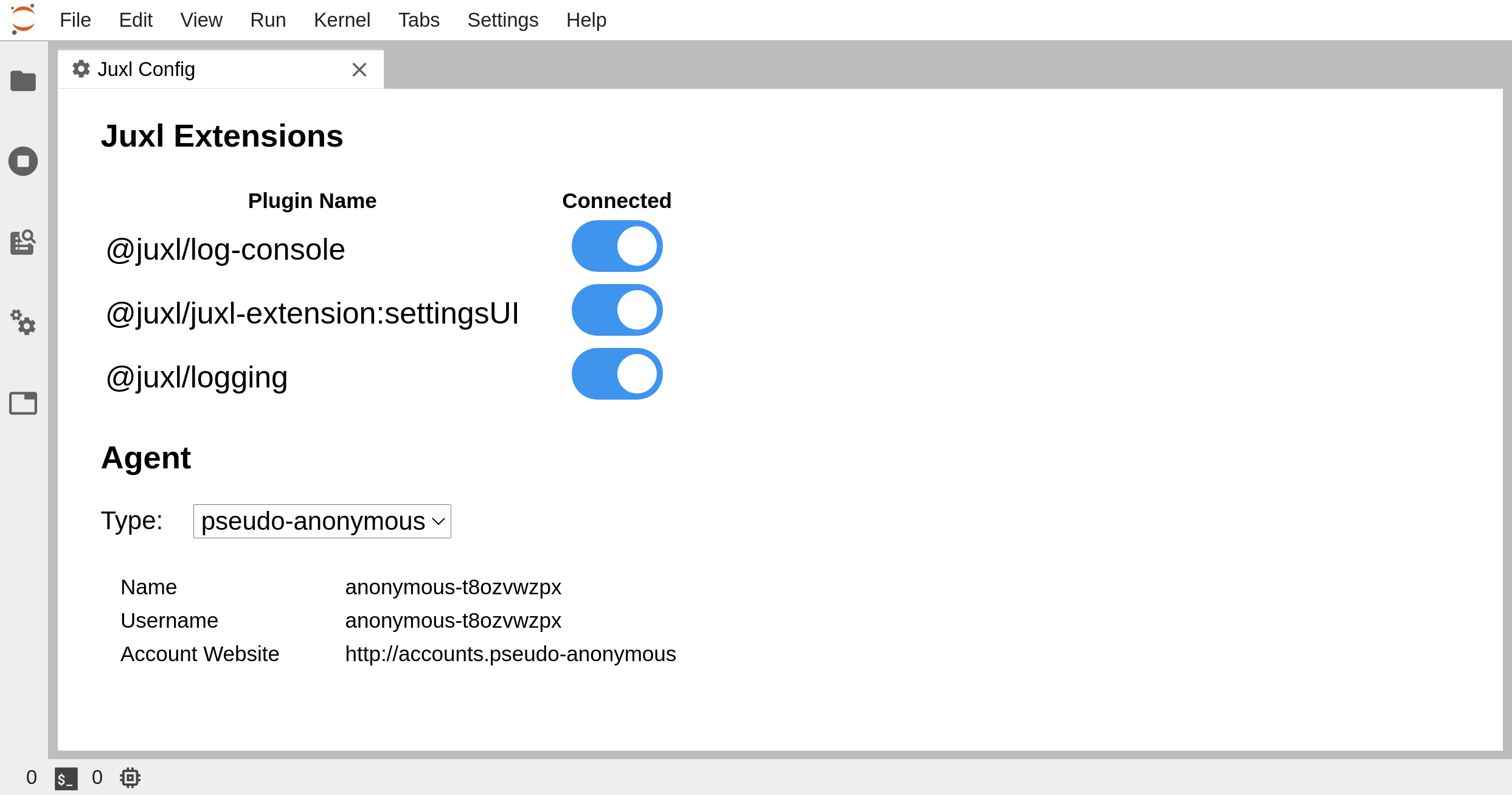
or the advanced settings editor
avaiable under the header Settings -> Advanced Settings Editor -> Juxl Settings
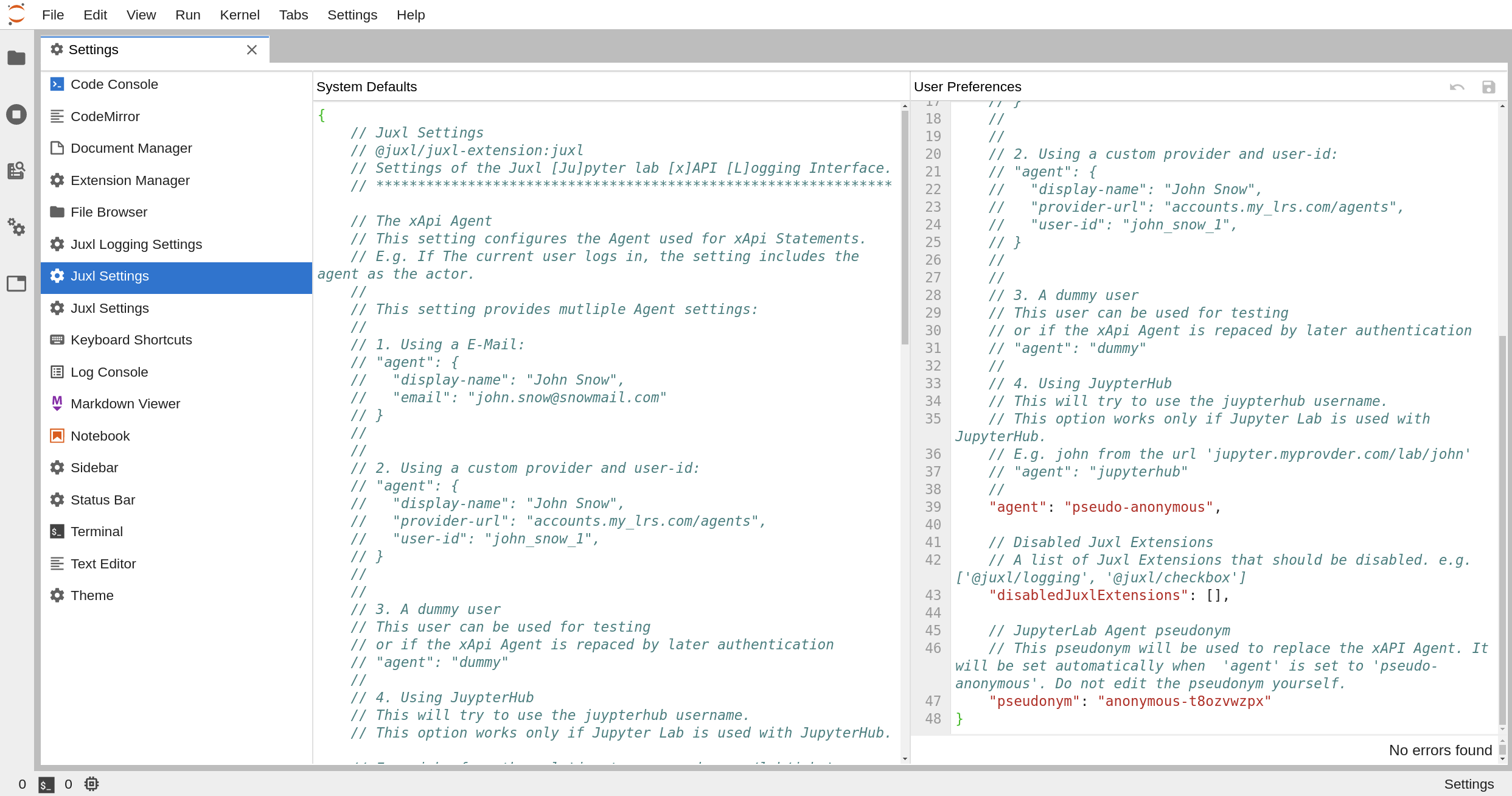
The Juxl Settings UI will edit the advanced settings editor. Both ways of chaning the juxl settings are equivalent, but the advanced settings editor provides more options. To change the default settings see deploy default settings.
In the following sections we discuss each configuration option in detail and afterwards focus on how to configure Juxl with Juxl Hub Auth.